

When several scores, fixtures, and venue messages compete for attention, one main screen is rarely enough. A sports ticker display keeps essential information visible along a concourse, around a public viewing area, or near a venue entrance.
For a venue project, the questions are practical. What should the display show? Where will people read it? Who supplies the data? And how will the scoreboard and ticker work together on event day?
This guide explains how to plan a sports ticker display, from content and control responsibilities to display selection, project budgeting, and long term use.
What Is a Sports Ticker Display?
A LED ticker display is a long, narrow digital display used for scrolling information, live updates, and venue messages. It supports the main match screen instead of competing with it.
At a busy entrance or concourse, people are moving. They may look up for only a few seconds. A ticker gives short updates a fixed place in the venue, whether that update is a score, the next kickoff time, or an operational notice.
Commercial outdoor LED ticker displays are built from LED modules, so the layout can follow a straight wall, a corner, or a curve. The final design should match the content you need to show and the places where spectators will actually read it.

How Can a Sports Ticker Work with a Scoreboard?
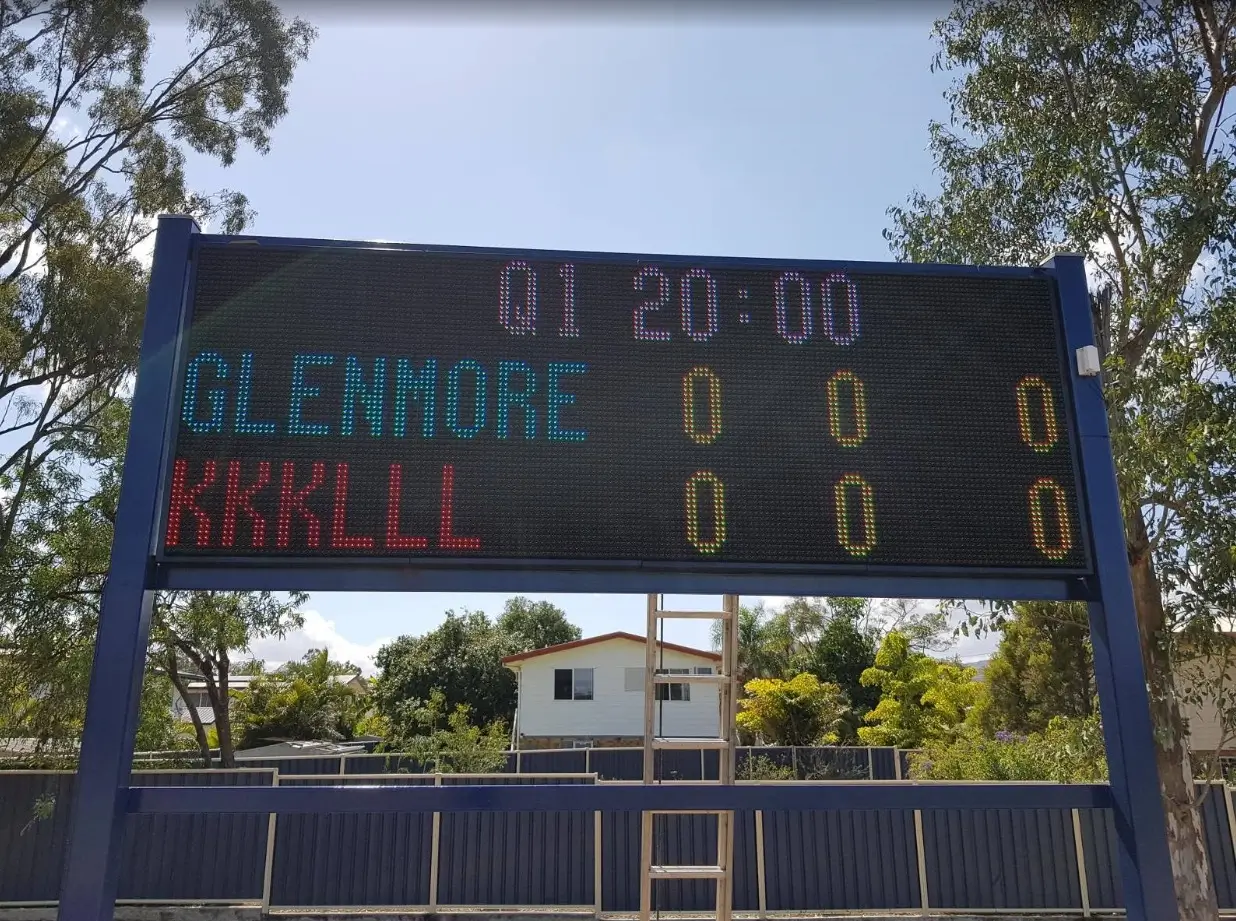
In a sports venue, a digital sports scoreboard and a ticker usually serve different jobs at the same time. The scoreboard keeps the main game information clear, including the score, game clock, period, and team fouls. The ticker carries supporting information around the venue, such as other match results, upcoming fixtures, sponsor messages, and public notices.
This combination works well when spectators are not all facing the field or main screen. People entering through a concourse may check the ticker for the latest score, while people in the seating area follow the main scoreboard.
Display | Main Role | Typical Information |
LED Scoreboard | Follow the game in progress | Score, clock, period, fouls, and team information |
Sports Ticker | Share ongoing updates around the venue | Other scores, fixtures, sponsor content, and venue notices |
For the main match display, see Comsight LED scoreboard options for sports venues.

What Can a Sports Ticker Display Show?
A sports ticker can show live scores, scheduled fixtures, standings, venue notices, and approved sponsor content. The useful layout is not the one that shows everything. It is the one that lets spectators understand the most important update before it scrolls away.
- Live Scores and Match Status: Team names, scorelines, match minute, half time, extra time, penalties, or final results.
- Fixtures and Kickoff Times: Upcoming games shown in the venue’s local time zone.
- Tournament Information: Standings, confirmed pairings, or schedule changes where the chosen data service permits it.
- Venue Operations: Gate information, event timings, safety notices, food service messages, or transport updates.
- Approved Commercial Content: Sponsor messages and venue promotions scheduled between sports updates.
Keep live information short and readable in one pass. A long ticker is not a dashboard. Spectators should not need to wait through several messages to find the current score.

How Does a Live Sports Ticker Work?
A live sports ticker works when four parts are aligned: a permitted data source, content software, a display controller, and the LED screen itself. The display makes information visible, but it does not create or license match data on its own.
Sports Data and Usage Rights
The data source provides team names, scores, match status, fixtures, and standings. It may be a licensed sports data provider, an approved API, or a managed content platform. Confirm event coverage, update frequency, commercial display rights, territory restrictions, and logo permissions before building the content templates.
Content Software
Content software turns incoming data into a layout that fits the final pixel resolution. It controls the display order, text size, scrolling speed, sponsor slots, local kickoff times, and manual venue messages. Operators should also be able to publish an urgent notice or switch to prepared fallback content.
Display Controller and LED Hardware
The controller sends the finished layout to the LED modules. Test long team names, multilingual text, flags, and sponsor graphics at the final display resolution before match day. A layout that looks fine on a laptop can become unreadable on a shallow ticker.
Network and Fallback Content
The network carries data from the content platform to the controller. Prepare local fallback content, including fixture lists, venue notices, sponsor messages, and a clearly labelled data update unavailable state. An offline ticker can still be useful. An old score displayed as if it were live is much harder to defend.

What Should You Check Before Choosing a Sports Ticker Display?
Judge a sports ticker display by its actual image quality, usable brightness, environmental protection, test evidence, maintenance design, and control compatibility. Do not rely only on the screen length or a supplier’s product photos.
- Check the Pixel Pitch and Final Resolution: A smaller pixel pitch can produce clearer text at close range, but pixel pitch alone does not tell you how much content the ticker can show. Ask for the final horizontal and vertical pixel count, then test team names, scores, logos, and two-line layouts at that exact resolution. A very shallow screen may still limit your content even when it uses a fine pixel pitch.
- Compare Brightness Under Real Lighting: Ask for the completed display brightness in cd/m², not only the rated output of the individual LED lamps. An outdoor ticker should be tested in daylight, while an indoor display should remain comfortable to view without glare. Automatic or scheduled dimming is also important because the screen should not run at daytime brightness after sunset.
- Inspect Text Movement and Viewing Angles: Watch the ticker from the nearest, farthest, and side viewing positions. Scrolling text should remain smooth, with no visible flicker, broken letters, or sudden changes in brightness. If the display will appear on television or social media, ask to test it through a camera as well.
- Verify the Environmental Protection: For an outdoor screen, check the protection rating for both the front and rear of the cabinet. You should also confirm the operating temperature, humidity limits, cooling method, drainage, UV resistance, and cabinet material. Coastal venues may need additional corrosion and salt-spray protection.
- Ask for Environmental and Aging Test Evidence: A supplier should be able to explain how the display was tested before shipment. Depending on your venue, this may include high- and low-temperature operation, thermal cycling, water-spray testing, dust protection, vibration during transport, and extended aging or burn-in tests. Ask for test records, photos, or reports that show the conditions, duration, and result rather than accepting a general claim that the screen is “weatherproof.”
- Review the Maintenance and Control System: Check whether technicians can replace LED modules, power supplies, controllers, and cables after installation. You should also confirm that the controller supports the final resolution, communication method, sports data source, manual messages, and fallback content required by your venue.
Ask the supplier to demonstrate the finished configuration with your own sample content before production approval. The best sports ticker is not the one with the longest specification sheet. It is the one that can prove its readability, durability, and system compatibility under the conditions where you will use it.
What Makes a Sports Ticker Display Effective?
An effective sports ticker lets people understand the latest update within a few seconds. It should remain easy to read while spectators are walking through an entrance, waiting in a concourse, or looking away from the main scoreboard.
Make Every Update Easy to Read
Text height, contrast, brightness, and scrolling speed should match the viewing distance. A ticker near a walkway can use smaller text than one installed high above a stadium entrance. Long team names, match times, and score states should all be tested at the final screen resolution.
The message also needs enough time on screen. Faster scrolling does not always communicate more information. It can make scores and venue notices harder to follow, especially when spectators only see part of the message as they walk past.
Give the Ticker a Clear Role
A sports ticker works best when it supports the scoreboard instead of repeating everything shown on it. The main scoreboard can focus on the game in progress, while the ticker carries information that remains useful elsewhere in the venue.
This may include:
- Live scores from other matches
- Upcoming fixtures and kickoff times
- Group standings or tournament updates
- Gate, transport, and event notices
- Sponsor messages between sports updates
A clear content order prevents the display from becoming crowded. Scores and time-sensitive notices should usually appear before promotional messages.
Keep Live Information Reliable
A useful ticker needs a dependable data connection, but it also needs a plan for interruptions. The system should identify when a feed stops updating and prevent an old score from continuing to appear as live information.
Prepared fixture lists, sponsor content, venue notices, and a clearly labelled update message can keep the screen useful during a connection problem. A venue operator should also be able to pause automated content and publish a manual notice when needed.
When these parts work together, the ticker extends the match experience beyond the main seating area. It keeps spectators informed as they move around the venue, gives sponsors more visible display time, and provides staff with another channel for event and safety messages.
How Do Indoor and Outdoor Conditions Change the Design?
Indoor and outdoor sports tickers require different brightness, protection, cooling, and maintenance configurations. The display should be selected for its actual operating environment rather than treated as the same product with a different enclosure.

Installation | Main Design Priorities |
|---|---|
Covered Concourse | Controlled brightness, glare reduction, closer viewing distance, finer text, and convenient front access |
Indoor Arena | Wide viewing angles, quiet operation, integration with venue lighting, and readable content from different seating levels |
Stadium Entrance | Daylight visibility, longer viewing distance, weather protection, automatic dimming, and secure mounting |
Outdoor Fan Zone | Rain and dust protection, temperature management, protected power and data connections, and readable content in changing light |
An indoor LED ticker may prioritize finer resolution and controlled brightness. An outdoor ticker usually needs stronger daylight visibility, environmental protection, and a structure designed for wind and weather exposure.
Brightness should still match the location. Excessive brightness can cause glare indoors or become uncomfortable after sunset, while insufficient brightness can make outdoor content disappear in direct sunlight. Automatic or scheduled dimming helps the display respond to changing conditions.
What Affects the Cost of a Sports Ticker Display?
The cost of a sports ticker display depends on the display hardware, supporting structure, control system, content integration, and site work. Two tickers with the same length can have very different project costs because their resolution, installation conditions, and data requirements are different.
Cost Area | Questions to Ask |
|---|---|
LED Display | What dimensions, pixel pitch, brightness, cabinet design, and service method are included? |
Mounting Structure | Does the quotation include frames, brackets, curved sections, or modifications to an existing structure? |
Control System | Is the controller included, and can it support the final screen resolution and content layout? |
Sports Data and Software | Who supplies the data feed, software, templates, licences, and ongoing subscription? |
System Integration | Who connects the sports data, scoring equipment, controller, and LED display? |
Site Work | Are freight, power distribution, network cables, lifting equipment, taxes, and local installation included? |
Long-Term Support | What training, spare parts, warranty, remote support, and maintenance services are provided? |
Separate one-time project costs from ongoing operating costs. LED hardware and mounting are usually part of the initial project, while sports data licences, software subscriptions, connectivity, and support may continue after installation.
A lower hardware price does not always produce a lower completed project cost. Compare quotations using the same dimensions, content requirements, installation scope, and support responsibilities.
How Do You Plan a Sports Ticker and Scoreboard Project?
Plan the scoreboard and ticker as one venue information system. Once the display roles and operating environment are clear, the remaining work should focus on content, responsibilities, testing, and event-day operation.
- Assign Each Display a Role: Keep the game in progress on the scoreboard. Use the ticker for other scores, fixtures, sponsor content, and venue information.
- Set the Content Priority: Decide which updates appear first, how long they remain visible, and when promotional content can enter the rotation.
- Confirm System Responsibilities: Identify who supplies the scores, software, controller, templates, team assets, and manual notices. Confirm who monitors each part of the system during an event.
- Test at the Final Resolution: Check long team names, score changes, match status, local kickoff times, languages, sponsor graphics, and scrolling speed on the proposed pixel layout.
- Prepare the Event Runbook: Document how staff publish an urgent notice, correct inaccurate information, pause automated content, and switch to fallback content.
One final test can expose several gaps at once: if the live feed stops for ten minutes, what will spectators see, and who will change it? Answer that question before the first event.
How Can Comsight Support Your Sports Display Project?
Comsight can support new sports display installations, additions to existing venues, and replacement projects. We customize each custom LED display around your venue layout, viewing distance, content plan, operating environment, and existing equipment. Depending on your project, Comsight can provide:
- Custom Sports Display Configurations: Choose from LED scoreboards, straight or curved ticker displays, and combined systems for scores, match information, sponsor content, and venue messages.
- Venue-Specific Screen Designs: We can design the display around a narrow concourse wall, stadium entrance, curved facade, existing scoreboard frame, or another non-standard installation area.
- Coordinated Hardware and Control Systems: Comsight develops its own control systems, software, LED modules, and cabinet structures. This allows us to coordinate the screen resolution, controller capacity, content layout, and physical display design within one system.
- External Equipment Integration: If your display needs information from scoring equipment or another control platform, we can plan the communication method around the client-supplied protocol and agreed integration requirements.
- Maintenance and Upgrade Planning: We can consider front or rear access, modular replacement, cable access, spare parts, and possible future changes during the design stage instead of leaving these decisions until installation.
- Continued Technical Support: Your project may need assistance after delivery, including system setup, operating guidance, troubleshooting, replacement parts, or a later upgrade. Working with the same supplier can make those changes easier to manage.
A Long-Term Client Returned to Comsight
One of our long-term clients first worked with Comsight more than ten years ago on a curved outdoor ticker for a public park in Oceania. The display remained in service for over a decade. When the venue later needed higher resolution, stronger daylight visibility, lower power consumption, and easier maintenance, the client returned to Comsight for a curved outdoor ticker display upgrade.
The original curved mounting brackets were still structurally sound after all those years. Instead of rebuilding the entire installation, we designed the new display to match the existing curvature and mounting system. We also assembled the curved screen at our factory before shipment to verify its fit, alignment, and display performance.

Your final configuration will still depend on the venue layout, sports type, content requirements, operating environment, and existing equipment. Sports data rights, competition branding, structural approval, local electrical work, and on-site installation should be confirmed within the project scope.
Conclusion
A sports scoreboard keeps the main game clear. A ticker keeps the rest of the venue informed. When they are planned together, spectators can follow the match, find the next fixture, and receive venue updates without crowding every message onto one screen.
Before requesting a quotation, prepare your venue layout, installation location, viewing area, and content requirements. If you are planning a custom sports scoreboard or ticker display, contact Comsight for a project specific custom LED display solution and quotation.
FAQs
1. Can a sports ticker and scoreboard work together?
Yes. The scoreboard can focus on the game in progress while the ticker carries other scores, fixtures, sponsor content, and venue notices. Planning the two displays together prevents the main screen from becoming overcrowded.
2. Does LED hardware include a live sports data feed?
Not always. The LED display, controller, sports data subscription, and integration service may come from different suppliers. Ask the quotation to identify each item and confirm who is responsible for connecting the feed.
3. How quickly can live scores update on a ticker?
Update speed depends on the data provider, API refresh interval, network connection, and software settings. Ask the provider for its expected latency and test the complete system before launch.
4. Can a sports ticker support multiple languages?
Yes, if the software, fonts, controller, and screen resolution support the required characters. Test long team names and each language at the final pixel dimensions because a layout that works in English may not fit another writing system.
5. Can an existing scoreboard or ticker structure be upgraded?
Sometimes. The controller capacity, cabinet design, mounting structure, power supply, and screen mapping must be assessed first. A structural review is important before assuming that new modules can fit an existing frame.
6. Who operates the display during an event?
Automated data can run without constant input, but a venue operator should still monitor the feed and handle manual notices or fallback content. Assign this role before launch and include the operating steps in the event runbook.
7. Can a ticker be expanded in the future?
Expansion may be possible with a modular system, but the controller capacity, cabinet design, mounting structure, power supply, and screen mapping must support the added modules. Discuss future length or layout changes before production.

